
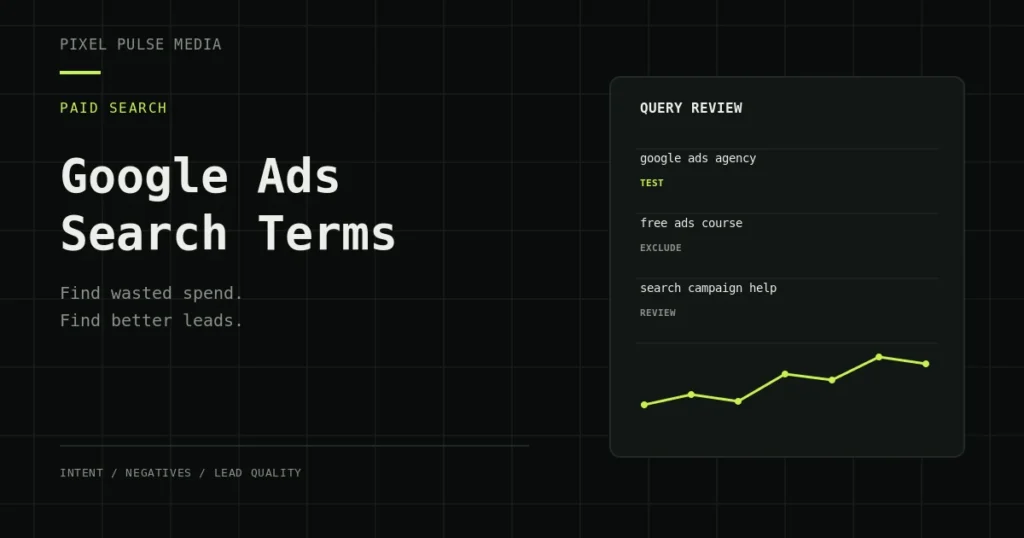
Short answer: Review the Google Ads Search terms report to understand which real searches triggered your ads, then use intent, cost and lead quality to decide what to keep, exclude or test. The goal is not to remove every expensive query. It is to spend more deliberately on searches that can become suitable enquiries or sales.
Your targeted keywords and the searches people actually type are not the same thing. Reviewing that difference helps you find irrelevant traffic, discover useful customer language and improve the connection between a query, an ad and a landing page.
What the Google Ads Search terms report shows
The report lists search terms that triggered your ads and are eligible to be shown in reporting. A keyword is what you add to a campaign; a search term is the query a person used. One keyword can match several different searches, depending on match type and Google’s matching systems.
The report is useful, but it is not a complete record of every query. Some searches may be withheld or grouped because of privacy and reporting thresholds. Treat the available data as evidence to work with, not a guarantee that every search will be visible.
A practical review process
1. Choose a date range that reflects the buying cycle
Start with a period long enough to collect meaningful activity. For a new or low-volume campaign, a very short window can make ordinary variation look like a pattern. For a campaign with a longer sales cycle, allow for the time between the click, the enquiry and the eventual sale.
Compare like with like. Keep brand and non-brand traffic separate where that distinction matters, and avoid combining campaigns with different markets, offers or conversion goals into one judgement.
2. Review the query in context
Read each search term alongside its campaign, ad group, keyword, location, landing page and available performance data. A query that looks irrelevant in isolation may be useful for a different service or location. Conversely, a query that sounds relevant can still be poor quality if the person is looking for a free tool, a job or information your business does not provide.
3. Label intent before making changes
Use a small, repeatable set of labels so the review does not become a list of personal opinions.
| Intent group | What to look for | Possible action |
|---|---|---|
| Strong commercial intent | Searches that clearly match a service, need or buying situation | Keep monitoring; consider a dedicated keyword or tighter ad group if volume supports it |
| Relevant research | People comparing options, learning the process or checking costs | Keep if it supports your funnel and the landing page answers the question |
| Clearly irrelevant | Unrelated services, locations you do not serve, jobs or free resources you do not offer | Consider a carefully scoped negative keyword |
| Ambiguous | A short phrase that could describe more than one need | Check the landing page and performance before excluding it |
4. Measure outcomes, not just clicks
Clicks, click-through rate and cost per click can help explain traffic, but they do not prove that a search is commercially useful. Where the data is available, compare conversions, cost per conversion, qualified enquiries, sales and revenue. Confirm that your conversion actions are meaningful and that duplicate or low-value events are not making performance look better than it is.
If your account reports form submissions but your team cannot identify which enquiries were suitable, improve the measurement process before making large decisions from the report. The GA4 and conversion tracking service explains how to build a clearer measurement foundation. You can also read why Google Ads and GA4 conversion numbers differ.
5. Add negative keywords carefully
Negative keywords can prevent ads from showing for searches that do not fit your offer. Apply them at the level that matches the problem: an ad-group negative for a narrow mismatch, a campaign negative when the rule should apply throughout that campaign, or a shared negative list when the same exclusions are appropriate across multiple campaigns.
Check the negative match type before saving. Negative broad, phrase and exact match work differently from positive keyword match types. A negative phrase can exclude searches containing the phrase in the specified order, while a negative exact keyword is narrower. Review the likely variants and campaign impact rather than assuming one negative will block every similar query.
Avoid excluding a broad word just because it appears in one poor search. For example, a term like “cost” or “reviews” may indicate valuable commercial research for one service and low intent for another. Exclude the actual mismatch, not the customer language you still want to reach.
6. Turn useful queries into better targeting
When a search term repeatedly shows relevant intent and credible outcomes, consider whether it deserves a more explicit keyword, a better-matched ad group or a dedicated landing-page section. Do not create a new ad group for every query. Make the change when it improves control, messaging or measurement enough to justify the added complexity.
Use the wording customers actually use to improve ad relevance and page copy. Keep the promise consistent: the ad should set the right expectation, and the landing page should make the next step clear. A relevant search can still underperform if the page is vague, slow or difficult to use.
7. Record the decision and review the result
Keep a short change log: the search term or theme, the evidence, the action, the date and the outcome you will check. After adding a negative or promoting a query, revisit the same campaign after enough data has accumulated. That makes it easier to distinguish a useful improvement from normal fluctuation.
How often should you review search terms?
For a new campaign, a campaign with material daily spend, or an account making frequent changes, a weekly review is a sensible starting point. Lower-volume or stable campaigns may need a less frequent review. The right cadence depends on spend, search volume, conversion delay and how quickly irrelevant traffic can consume budget.
Use the review to make a small number of evidence-backed changes, not to change everything at once. If you change keywords, negatives, bids, landing pages and conversion settings together, it becomes harder to identify which change helped.
Common mistakes to avoid
- Adding a negative keyword after seeing one query without checking its context.
- Judging a search only by clicks or cost per click, while ignoring lead quality and sales.
- Using a date range that is too short for the campaign’s conversion delay.
- Mixing brand and non-brand traffic or different service lines into one analysis.
- Assuming the report contains every search that triggered an ad.
- Making many changes at once and then being unable to explain the result.
Frequently asked questions
Where can I find the Search terms report in Google Ads?
Open the relevant campaign in Google Ads and look for the Search terms report under the campaign’s insights or reporting options. Google periodically changes interface labels, so the exact navigation wording may vary.
Should I add every irrelevant search as a negative keyword?
No. Group related mismatches into clear themes, choose the correct campaign or ad-group scope and check the match type. A broad exclusion can block useful searches if it is too general.
What if a search term has clicks but no conversions?
Check spend, sample size, conversion delay, the landing page and whether tracking is working before deciding. One or two clicks are rarely enough evidence. For a broader diagnosis, use this guide to Google Ads clicks without leads.
Can the report help find new keywords?
Yes. Relevant queries can reveal the words customers use, service variations and questions worth testing. Validate intent and business value before adding them, and make sure the ad and landing page match the query.
Need a clearer view of your Google Ads account?
A useful search-term review connects query intent with conversion tracking, landing-page relevance and the quality of enquiries your team receives. Pixel Pulse Media can review those parts together through Google Ads management or a performance marketing audit. The scope is agreed before work begins; advertising spend is separate, and no ranking or lead volume is guaranteed.